Endless Drag Race
Racing

Endless Drag Race

4.33,751

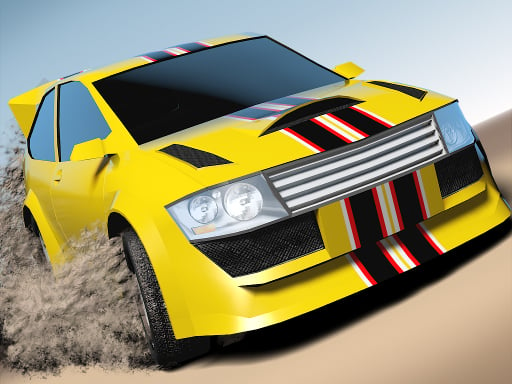
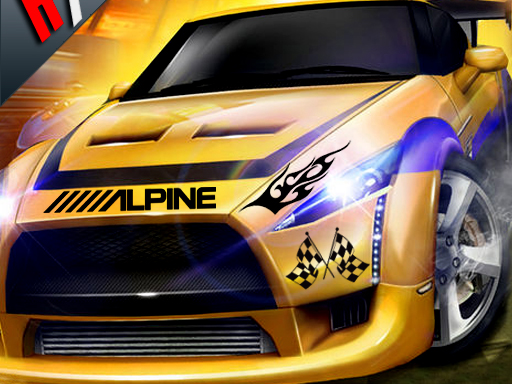
Top Speed Drag Race: Fast Car Racing Game 3D 2020 Best Drag Racing Game. Perfect Shift Drag Racing Game offers an exhilarating drag racing experience with high-speed, turbo-charged GT racing cars. Dive into the world of underground top speed racing, where pressing the nitro button and mastering shifts are key to victory. Customize your car with powerful turbo engines, advanced gear systems, and impressive nitro tanks to outpace competitors in thrilling races. Compete on various challenging tracks, from bustling city streets to open highways, each designed to test your limits. With realistic physics and detailed car customization options, Perfect Shift Drag Racing Game provides an immersive experience for both casual players and hardcore racing enthusiasts. Whether you're tuning your car for peak performance or navigating sharp turns at breakneck speeds, this game promises adrenaline-pumping action and endless fun.

Recommended Games
3D Moto Racing Challenge
3D Moto Racing Challenge

Tap or click to select items or interact with elements in the game. Each tap or click will trigger an action, such as picking up objects, talking to characters, or progressing through levels. Use these inputs to solve puzzles, navigate environments, and complete objectives.
4.63,000
Hydro Racing 3D

Hydro Racing 3D

Player 1 uses W A S D for movement, L-SHIFT for nitrous, R to restart, and C to switch camera view. Player 2 uses arrow keys for movement, O for nitrous, I to restart, and K to switch camera view.
4.64,800
Mini Road

Mini Road

Control cars using a mouse for precision steering or快捷导航 A and D keys on the keyboard for quick lane changes to navigate through traffic and reach the finish line efficiently.
4.65,143
Parking Car 3D

Parking Car 3D

Click or tap the screen to interact and progress in the game.
4.96,202
Going Balls 2022

Going Balls 2022

In Keyboard Controls gameplay, players use keys on a standard computer keyboard to navigate and interact within the game world. Arrow keys or WASD control character movement, spacebar for jumping, and other function keys trigger actions like attacking, interacting with objects, or using items. This setup allows for precise control over the character's movements and activities, enhancing immersion and strategic play.
5.07,793
E-Scooter

E-Scooter

all control focuses on seamless interaction where players command characters using intuitive gestures and voice commands. This setup allows for dynamic engagement, enhancing strategic planning and execution in real-time. Players can switch between various abilities instantly, adapting to changing environments and challenges swiftly. The core objective remains to explore, solve puzzles, and defeat enemies with precision and creativity.
4.54,927
Angry Gran Run: Grannywood

Angry Gran Run: Grannywood

Use up and down to jump and slide. Press left and right to turn corners. Use A and D to move left and right.
4.14,814
Drift Scooter - Infinite

Drift Scooter - Infinite

Navigate using mouse clicks or arrow keys to move and interact within the game environment. Use the mouse for precise actions like clicking objects or aiming. Alternatively, employ the arrow keys for directional movement and other commands as indicated on screen. This dual control system enhances accessibility and player preference.
4.94,892
Jump Flip

Jump Flip

In Keyboard, players use their computer keyboard to navigate and interact within the game world. Movement keys allow characters to move left, right, up, and down. Special keys trigger actions like jumping, attacking, or casting spells. Typing specific commands can open doors, solve puzzles, or communicate with non-player characters. This setup requires quick reflexes and memorization of key functions to master the game's challenges effectively.
4.67,948
Car Rapide

Car Rapide

In Car Rapide, simply tap to jump and glide. Race your car, dodging obstacles while collecting coins for upgrades and unlocking new vehicles.
4.54,213
HitCity Car Parking

HitCity Car Parking

Navigate your vehicle with W A S D keys. For parking, adjust the camera angle to see the best view.
4.84,974
Car Backwheel

Car Backwheel

Navigate using the arrow keys on your keyboard to control the movement within the game. Move left with the left arrow, right with the right arrow, up with the up arrow, and down with the down arrow to explore and interact within the game environment.
4.93,954
Rhino Rush Stampede

Rhino Rush Stampede

Management in Rhino Stampede involves guiding rhinos through obstacles. On computers, use the keyboard: press the up arrow to jump over hurdles and the right arrow for speed boosts. For mobile devices, simply tap the screen to jump and swipe right to accelerate. Navigate your rhino herd efficiently to win.
4.05,924
Snow Moto Racing

Snow Moto Racing

Use touch screen taps or WASD keys to control your character's movement through various levels. Tapping or pressing the corresponding keys moves your character left, right, up, or down, allowing you to navigate obstacles and reach checkpoints.
4.54,323
Advance Car Parking Driver Simulator

Advance Car Parking Driver Simulator

In this game, players use keyboard controls to interact and navigate through various levels. Arrow keys or WASD commands direct character movement, enabling exploration and obstacle avoidance. Space bar or Enter key often triggers actions like jumping, interacting with objects, or confirming selections. This setup provides intuitive control over the character's activities, enhancing user understanding and engagement in the game environment.
4.35,072
Sling Race Online

Sling Race Online

Use mouse to click and interact with elements within the game to progress and engage in gameplay activities.
4.45,141
Russian Taz Driving 2

Russian Taz Driving 2

WASD controls movement, allowing players to drive in any direction. The space bar functions as the brake, providing control over speed. Pressing C changes the camera perspective, enhancing understanding of the environment from different angles.
4.96,377
Car Rush Super

Car Rush Super

Click or tap on the screen to interact and progress through the game. Each click or tap triggers actions, events, or movements within the game environment. Use these interactions to solve puzzles, advance levels, or achieve objectives as directed by the game's instructions or context.
4.63,741
City Racing 3D - Traffic Racing

City Racing 3D - Traffic Racing

Navigate using arrow keys: left, up, right, down. Press 'Space' to interact or confirm actions. Use 'Esc' to pause the game and access the menu. Adjust settings or quit from the pause menu.
4.54,683