E-Scooter
Racing

E-Scooter

4.54,927

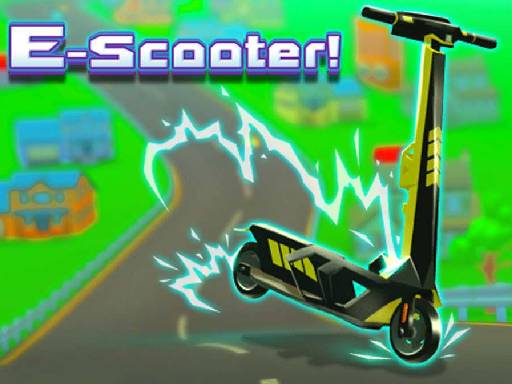
Sube a tu scooter y prepárate para una emocionante aventura de conducción en E-Scooter, el juego de acción más dinámico del año. Conduciendo tu e-scooter desde una estación de carga a la siguiente, deberás recoger monedas, orbes de carga y potenciadores de velocidad para aumentar tu distancia y mejorar tu rendimiento. Alcanza nuevas metas y desbloquea más e-scooters al comprarlos con las monedas que obtengas o completando ciertos objetivos. Sin embargo, ten cuidado, ya que los coches comparten la carretera contigo, lo que significa que debes evitar choques mientras mantienes un ojo en tu nivel de carga. ¡Es hora de coger tu scooter y comenzar esta emocionante carrera! Este juego es ideal para todas las edades y está lleno de acción y alta puntuación.

Recommended Games
Angry Gran Run: Grannywood

Angry Gran Run: Grannywood

Use up and down to jump and slide. Press left and right to turn corners. Use A and D to move left and right.
4.14,814
Jump Flip

Jump Flip

In Keyboard, players use their computer keyboard to navigate and interact within the game world. Movement keys allow characters to move left, right, up, and down. Special keys trigger actions like jumping, attacking, or casting spells. Typing specific commands can open doors, solve puzzles, or communicate with non-player characters. This setup requires quick reflexes and memorization of key functions to master the game's challenges effectively.
4.67,948
Parking Car 3D

Parking Car 3D

Click or tap the screen to interact and progress in the game.
4.96,202
HitCity Car Parking

HitCity Car Parking

Navigate your vehicle with W A S D keys. For parking, adjust the camera angle to see the best view.
4.84,974
Cargo Truck Survival

Cargo Truck Survival

Touch the screen to start the game and continue tapping to control your character's actions and movements through various levels and challenges.
5.04,183
Snow Moto Racing

Snow Moto Racing

Use touch screen taps or WASD keys to control your character's movement through various levels. Tapping or pressing the corresponding keys moves your character left, right, up, or down, allowing you to navigate obstacles and reach checkpoints.
4.54,323
Truck Town Parking Cars 2022

Truck Town Parking Cars 2022

Use touchscreens or mouse for interaction to play
4.54,651
3D Moto Racing Challenge

3D Moto Racing Challenge

Tap or click to select items or interact with elements in the game. Each tap or click will trigger an action, such as picking up objects, talking to characters, or progressing through levels. Use these inputs to solve puzzles, navigate environments, and complete objectives.
4.63,000
Mini Road

Mini Road

Control cars using a mouse for precision steering or快捷导航 A and D keys on the keyboard for quick lane changes to navigate through traffic and reach the finish line efficiently.
4.65,143
Car Rapide

Car Rapide

In Car Rapide, simply tap to jump and glide. Race your car, dodging obstacles while collecting coins for upgrades and unlocking new vehicles.
4.54,213
Russian Taz Driving 2

Russian Taz Driving 2

WASD controls movement, allowing players to drive in any direction. The space bar functions as the brake, providing control over speed. Pressing C changes the camera perspective, enhancing understanding of the environment from different angles.
4.96,377
Stunt Car Extreme-SBH

Stunt Car Extreme-SBH

In Keyboard Control gameplay, players use keyboard keys to command their characters or navigate through levels. Arrow keys or WASD keys typically handle movement, allowing players to move left, right, up, or down within the game environment. Special actions like jumping, attacking, or interacting with objects are often assigned to other keys like spacebar, enter, or shift. This setup provides a familiar interface for players, enhancing accessibility and ease of use in various gaming genres from platformers to role-playing games.
5.06,049
Japan Drift Racing Car Simulator

Japan Drift Racing Car Simulator

Use WASD or arrow keys for movement. Press space for a handbrake turn. Tap C to switch camera views. Use F to activate a boost. Press L to turn your vehicle's light on or off. Q, E, and Z control directional signals.
4.03,874
Advance Car Parking Driver Simulator

Advance Car Parking Driver Simulator
In this game, players use keyboard controls to interact and navigate through various levels. Arrow keys or WASD commands direct character movement, enabling exploration and obstacle avoidance. Space bar or Enter key often triggers actions like jumping, interacting with objects, or confirming selections. This setup provides intuitive control over the character's activities, enhancing user understanding and engagement in the game environment.
4.35,072
Rhino Rush Stampede

Rhino Rush Stampede

Management in Rhino Stampede involves guiding rhinos through obstacles. On computers, use the keyboard: press the up arrow to jump over hurdles and the right arrow for speed boosts. For mobile devices, simply tap the screen to jump and swipe right to accelerate. Navigate your rhino herd efficiently to win.
4.05,924
Going Balls 2022

Going Balls 2022

In Keyboard Controls gameplay, players use keys on a standard computer keyboard to navigate and interact within the game world. Arrow keys or WASD control character movement, spacebar for jumping, and other function keys trigger actions like attacking, interacting with objects, or using items. This setup allows for precise control over the character's movements and activities, enhancing immersion and strategic play.
5.07,793
Car Rush Super

Car Rush Super

Click or tap on the screen to interact and progress through the game. Each click or tap triggers actions, events, or movements within the game environment. Use these interactions to solve puzzles, advance levels, or achieve objectives as directed by the game's instructions or context.
4.63,741
City Racing 3D - Traffic Racing

City Racing 3D - Traffic Racing

Navigate using arrow keys: left, up, right, down. Press 'Space' to interact or confirm actions. Use 'Esc' to pause the game and access the menu. Adjust settings or quit from the pause menu.
4.54,683
Hydro Racing 3D

Hydro Racing 3D

Player 1 uses W A S D for movement, L-SHIFT for nitrous, R to restart, and C to switch camera view. Player 2 uses arrow keys for movement, O for nitrous, I to restart, and K to switch camera view.
4.64,800